STM32: Not able to build mboot without USB and user switch
I'm trying to do a board without a USB or switch, using the STM32F411. I want to use MBOOT to update the FW only when it is called from within an application so have no need for a USB or switch. It will use an external SPI flash chip. I've got this working on the basic pyboard.
I've declared the below - yet MBOOT gives multiple errors when calling sudo make BOARD=NAME__ USE_MBOOT=1 clean all
#define MICROPY_HW_HAS_SWITCH (0)
#define MICROPY_HW_ENABLE_USB (0)
#define MICROPY_HW_USB_FS (0)
Is there a way to use MBOOT without a USB or switch?
something goes wrong when i want to run micropython on my own stm32 board
Hi !
For some reason, I can't use pyboard in my application. I need to make my own stm32 board to run micropython.
Now I'm trying to download the firmware to my board. The board I use has a STM32F407VGT6, same as STM32F4DISC.
So I try to download STM32F4DISC-20200328-v1.12-310-g9418611c8.dfu to the board with DfuSeDemo :
- set BOOT0 = 1, BOOT1 = 0
- power on
- download the dfu file with DfuSeDemo
- power off after download
- set BOOT0 = 0, BOOT1 = 0
but nothing happens when I power on. i did't see a new USB flash drive on my PC.
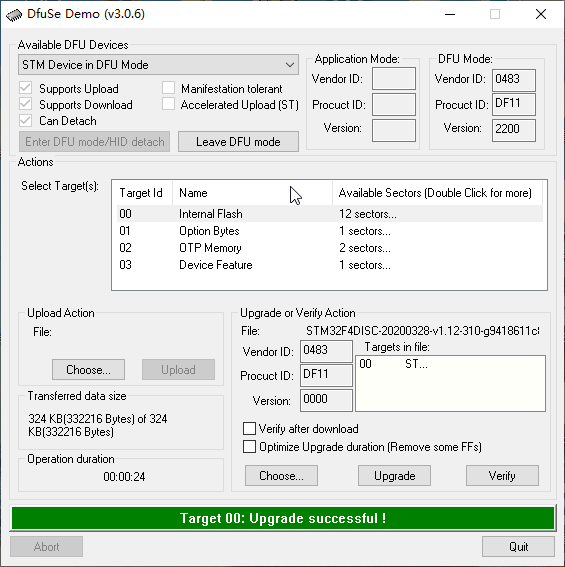
So what can i do? is there a guide to follow if i want to run micropython on my own board?