I’ve spent the last little while designing 3d printed fan shrouds for a dual NVIDIA V100 card with Claude Code, and the whole CAD model is generated from a python script, no mouse involved. Claude writes the CadQuery, it spits out an STL, I look at it, I ask for changes. Code is cheap now, the geometry basically falls out of the script.
The maths was never the hard part though. The hard part, by an embarrassing margin, was telling Claude which bit of the model I was talking about.
Long story short we ended up building a little tool to fix exactly that, it’s called meshpin and it’s on GitHub now. But the road there is the fun part, so let me start at the bench.
Calipers and a phone camera
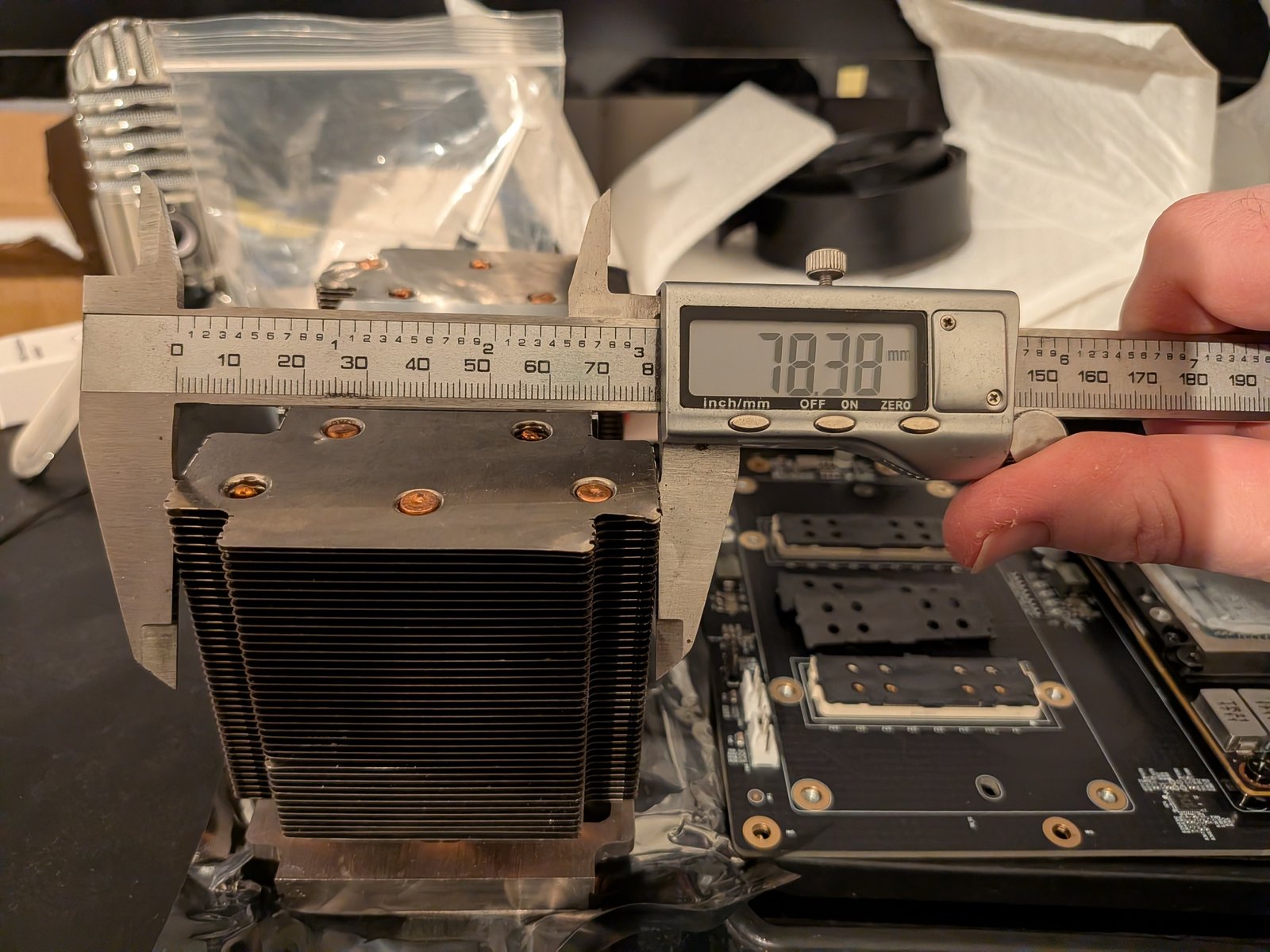
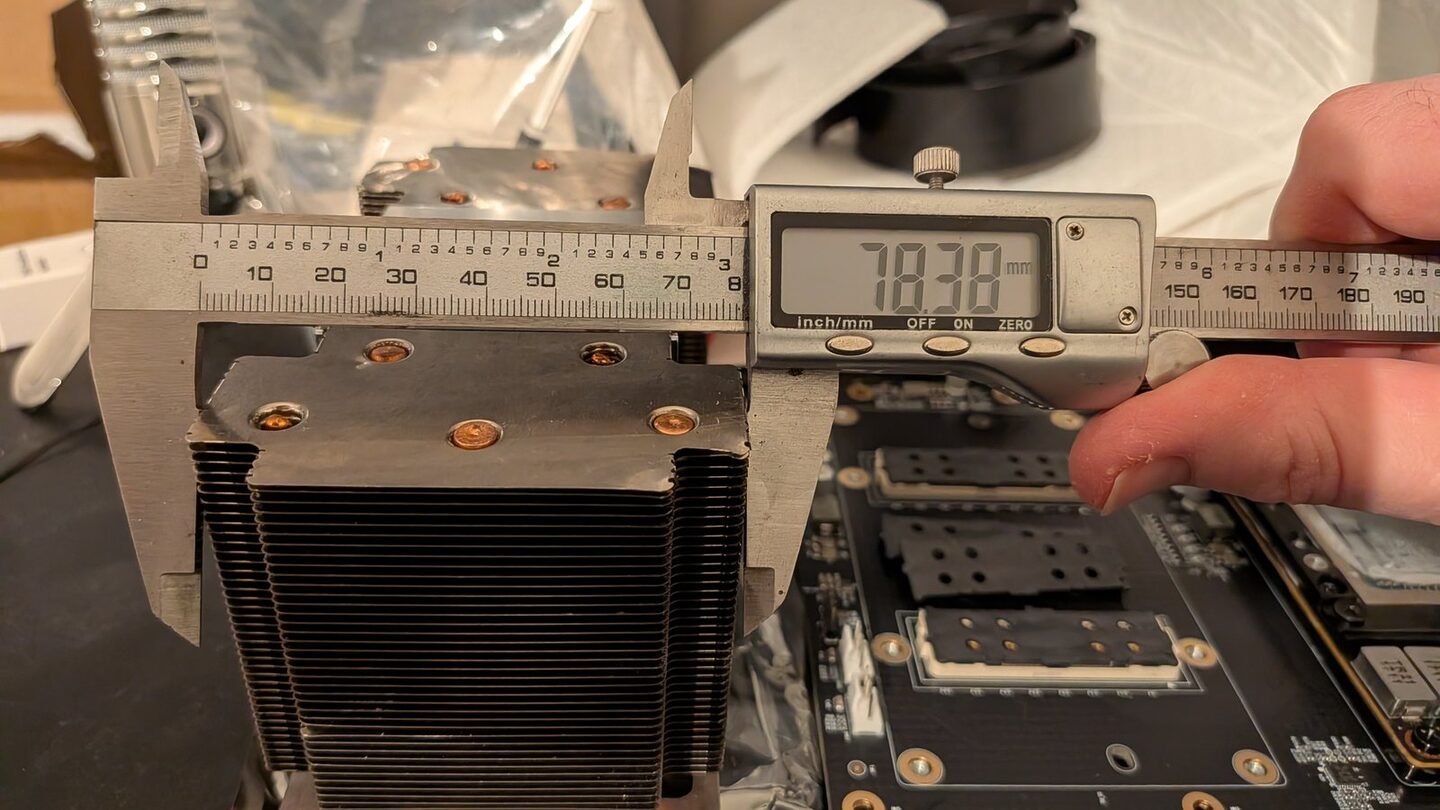
There’s no CAD file for a second-hand V100 heatsink, so step one was me at the bench with a set of digital calipers and my phone, measuring every face I could reach and photographing the readout. 78.38mm across the ears, that sort of thing. I’d drop a dozen photos into the chat and Claude would read the numbers straight off the caliper screen and put them into the dimensions file.
That bit worked pretty well actually. It’s a nice trick, you don’t even type the number, you just show it the calipers and it reads them off.
Renders as PNGs, and the great orientation stoush
From the measurements Claude built up a rough model and started rendering it out, PNGs on a little local webpage that reloaded itself as the script changed. I’d glance at the browser, see what it’d done, ask for the next change.
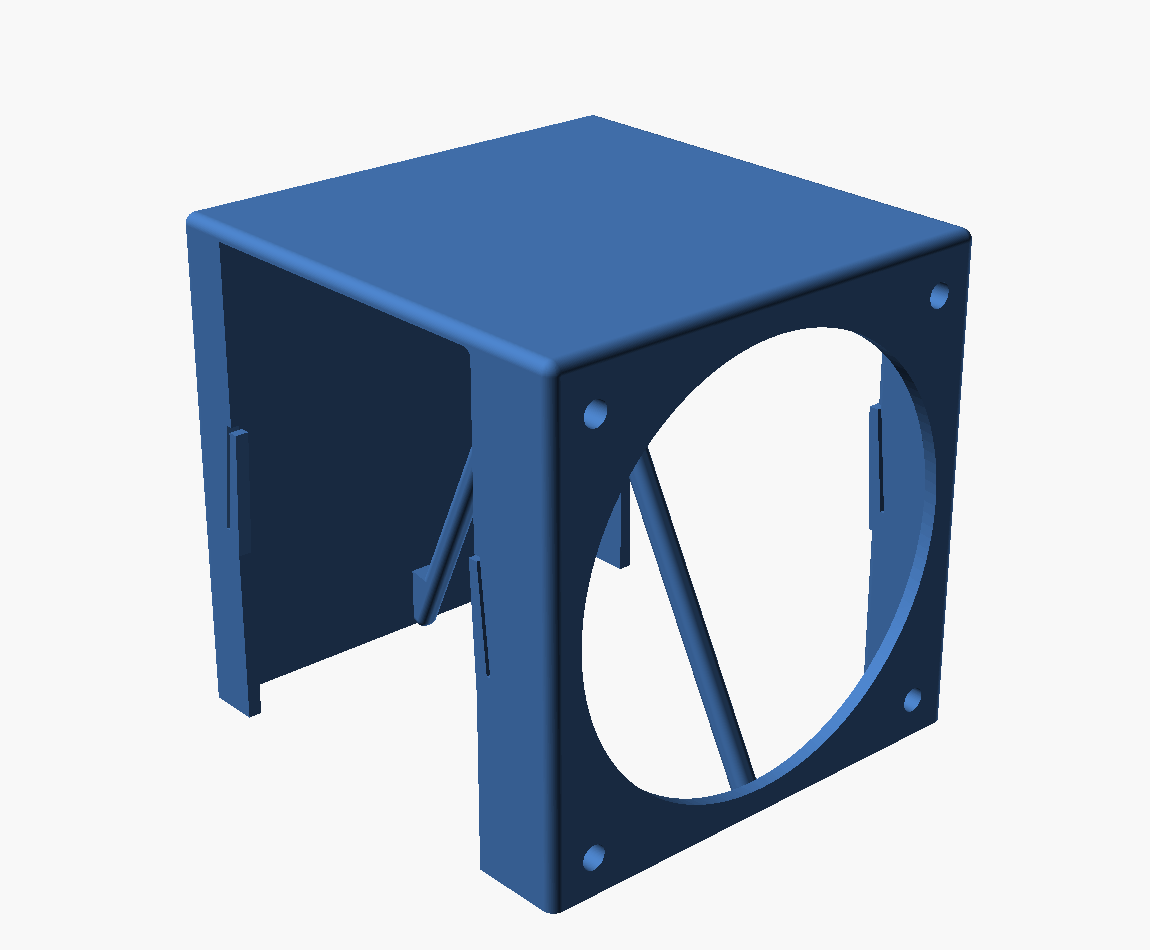
This is where it got interesting though. A render is a flat picture of a 3D thing, and the second you try to talk about it you’re stuffed. Is that the top or the front? Which end’s the fan on? Claude got the “top” face of the radiator wrong three times in a row, confidently, each time thanking me for the correction and then getting it wrong again in a slightly different way.
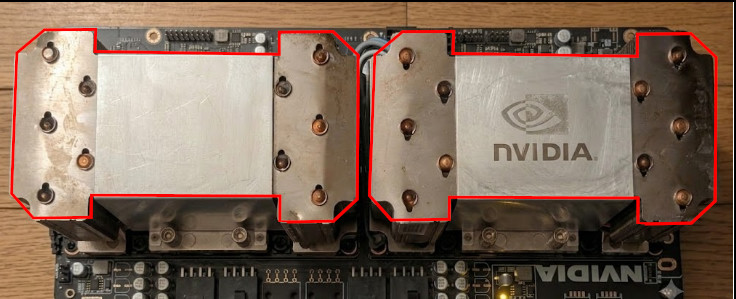
Eventually I gave up on words and just drew on the photo. Red lines, right around the bits I meant.
My exact message at that point, which I stand by:
no that sounds wrong. I know text descriptions is hard, but that does not sound right at all.
That’s me being about as polite as I could manage while thinking c’mon. And it worked instantly, the red lines were unambiguous in a way that three paragraphs of “the inboard face, not the outboard one” never were.
Annotating screenshots became the whole workflow
So that became the pattern. Claude renders, I screenshot, I scribble on it, I send it back. Green outline for where the new shroud should sit, red rectangle for the fan.
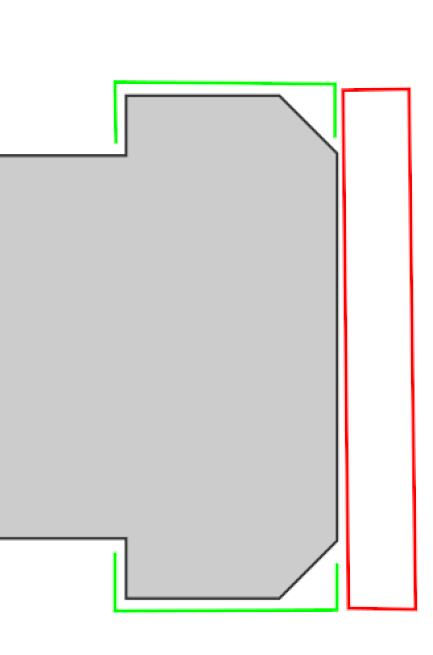
Measurement markups, little arrows, the lot. The best one was the heatsink itself. I’d been trying to explain which fins were open to airflow and which were sealed off by the factory shroud, in words, for ages, and it was hopeless. So I took a photo of the actual part and wrote on it.
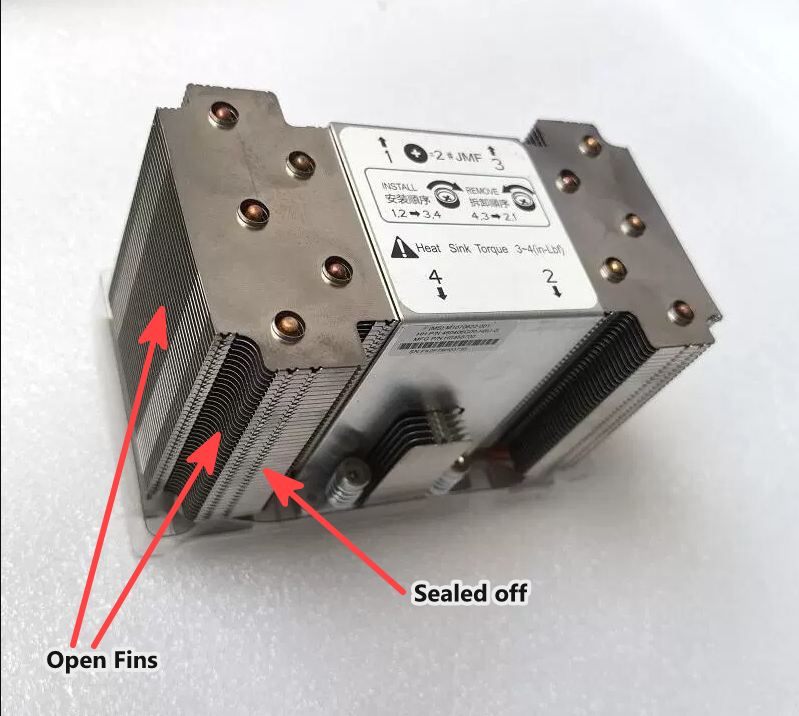
“Open fins” here, “sealed off” there. Claude read it and finally got the airflow right, mapped the fin direction onto the model axes, all of it. A photo of the real thing with two words scrawled on it did what a hundred turns of me describing it couldn’t.
There were some good bugs along the way too. At one point Claude spent a solid chunk of time convinced the model was broken, the STL said a spring was flipped one way but the render on the page showed it the other, and it went round and round trying to work out why the geometry disagreed with itself. The model had been right the whole time, the render was just stale. That’s the real catch with this whole setup though, Claude renders out a fixed set of named PNGs, hand-writes a markdown page pointing at each one, and serves that up, and keeping that page honest as the design keeps moving is a pain. Then even when the file on disk is current, the browser’s happily showing you a cached copy of the same-named image from two goes ago. Between stale exports and browser cache you can never quite trust that what you’re looking at is actually now.
It also picked up a bit of a complex about the whole markup thing. After getting the orientation wrong so many times it started triple-checking before it’d touch anything, “I want to make sure I read your markup correctly before changing anything, I’ve gotten this wrong a couple of times before”. Which, fair enough really.
Just let me point at it
Annotating screenshots worked, but it’s clunky. Screenshot, download, open an editor, draw, save, upload, and the whole time you’re drawing on a flat picture of a 3D object so you still can’t point at the face round the back.
At some point it clicked (heh) that the model is right there in the browser already, rendered in three.js, so why am I drawing on a screenshot of it. Why not click the actual 3D model and pin the comment to the exact spot.
So that’s what we built. A little local server serves a directory of STLs, you get a 3D viewer, you flip to “add pin” mode and click the model, type your comment, hit submit. The comment lands in a json file next to the STLs with the real 3D coordinates of where you clicked, so Claude gets “this face, right here, at these coordinates” instead of my terrible prose. And it’s the live model straight off disk, not a folder of exported pictures with a markdown page pointing at them, so all the stale-render and cached-image second-guessing from before just goes away, what you click is what’s actually there.
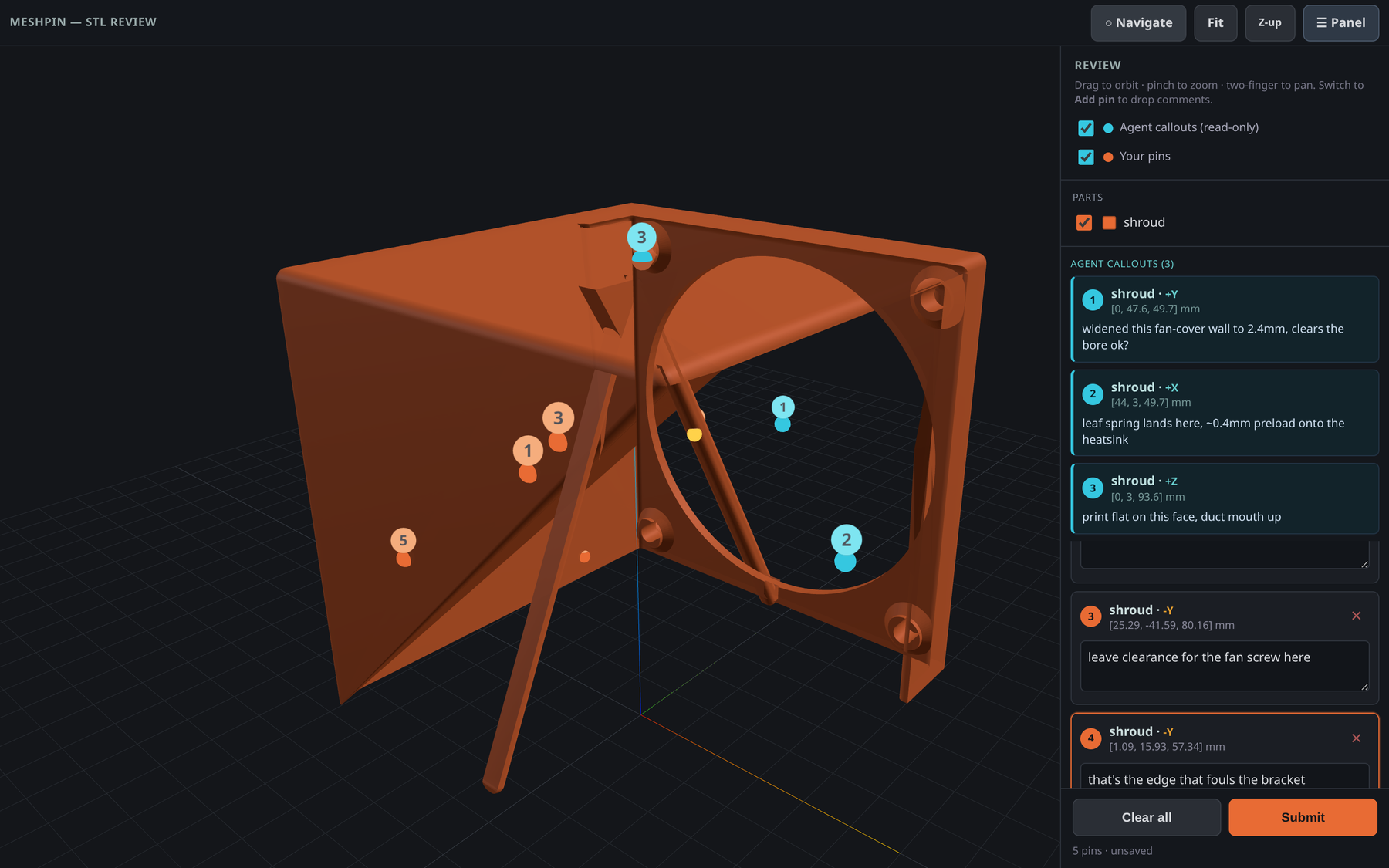
You can have a go with it right here, the whole viewer runs in the browser so there’s a live copy of the actual tool baked into this page, no install, nothing to run: ▶ meshpin live demo. It’s loaded up with that same shroud and my cyan callouts, flip to “Add pin”, click the model and type a comment. Turns out almost none of it needs the server, just the file loading and the submit, so making a standalone copy was pretty easy.
The good bit, the part I didn’t expect to like as much as I do, is that it’s bidirectional. Claude drops its own pins too, cyan ones, with a note like “moved this wall out 2mm, that clear enough?”, and they turn up live in my viewer without a reload. So it stopped being me annotating at Claude and turned into the two of us pointing at the same model, back and forth. I mark up what I want changed, it pins its questions on the geometry, and we argue about a specific fillet by both looking at the same fillet. Works on my phone too, which is how I do half my reviewing now, on the couch.
meshpin
Once it was actually useful I pulled it out of the fan project into its own thing, so I can use it (and point future agents at it) on any printable model. It’s called meshpin, it’s MIT licensed, up here: github.com/andrewleech/meshpin
Running it is basically:
uvx --from git+https://github.com/andrewleech/meshpin meshpin ./build
Point it at a folder of STLs, it serves them up, you click, you comment. There’s a Claude Code skill in the repo too so you can just tell Claude to use it when it’s working on printable stuff, it reads your pins and writes its own back. Zero runtime dependencies, three.js comes from a CDN in the browser, so it starts near instantly.
It’s not on PyPI yet, that’s one tagged release away, once it’s up there the install shortens to uvx meshpin ./build.
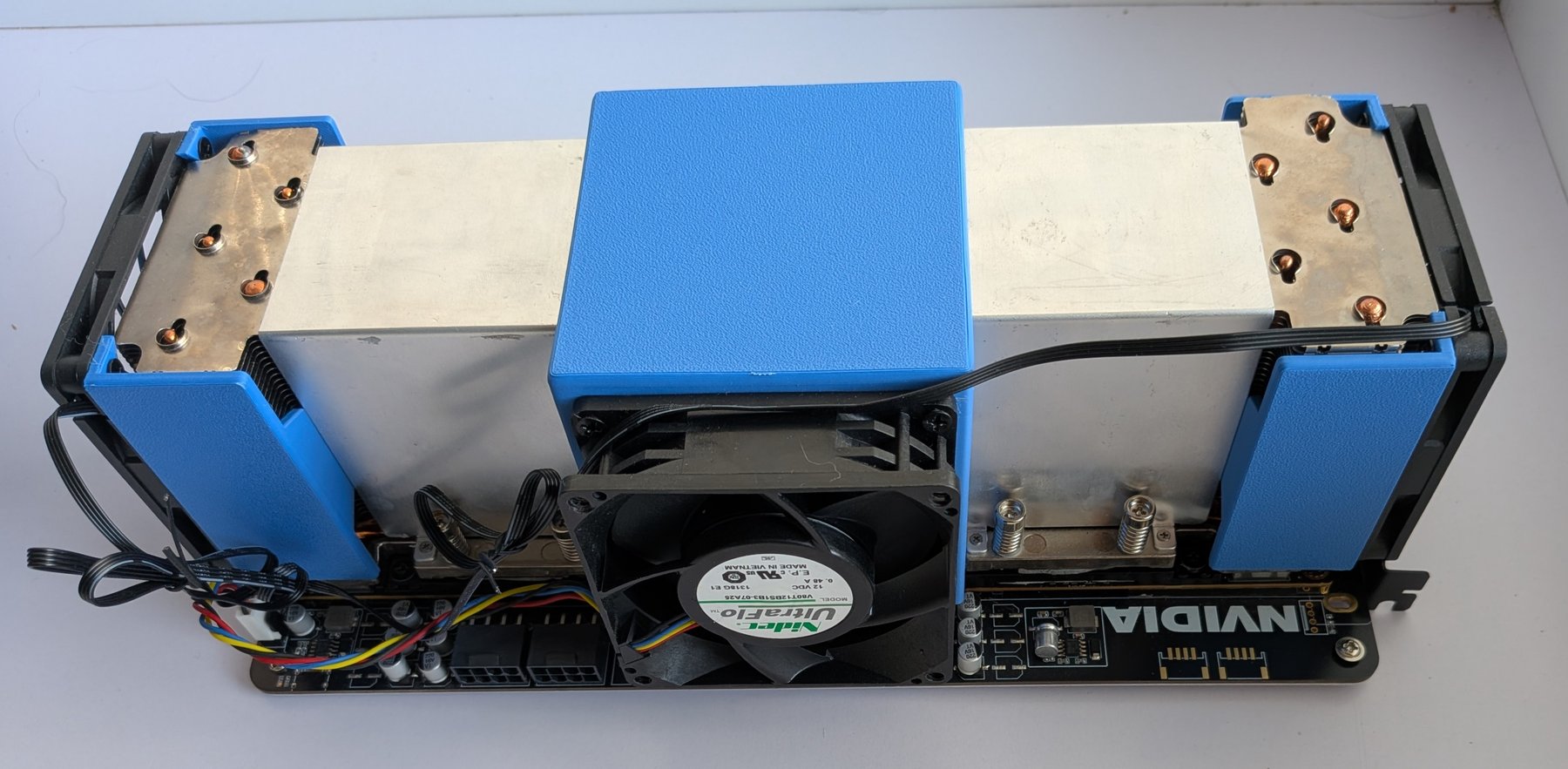
Anyway, that’s the tool. The parts it helped me design are on the actual cards now, printed and bolted down, a central duct with the fan and a shroud on each end:
The funny thing is the actual insight is ancient, pointing at the thing you mean beats describing it, every toddler works that out before they can talk. Took me about ninety turns of arguing with an AI about which corner I meant to remember it though.