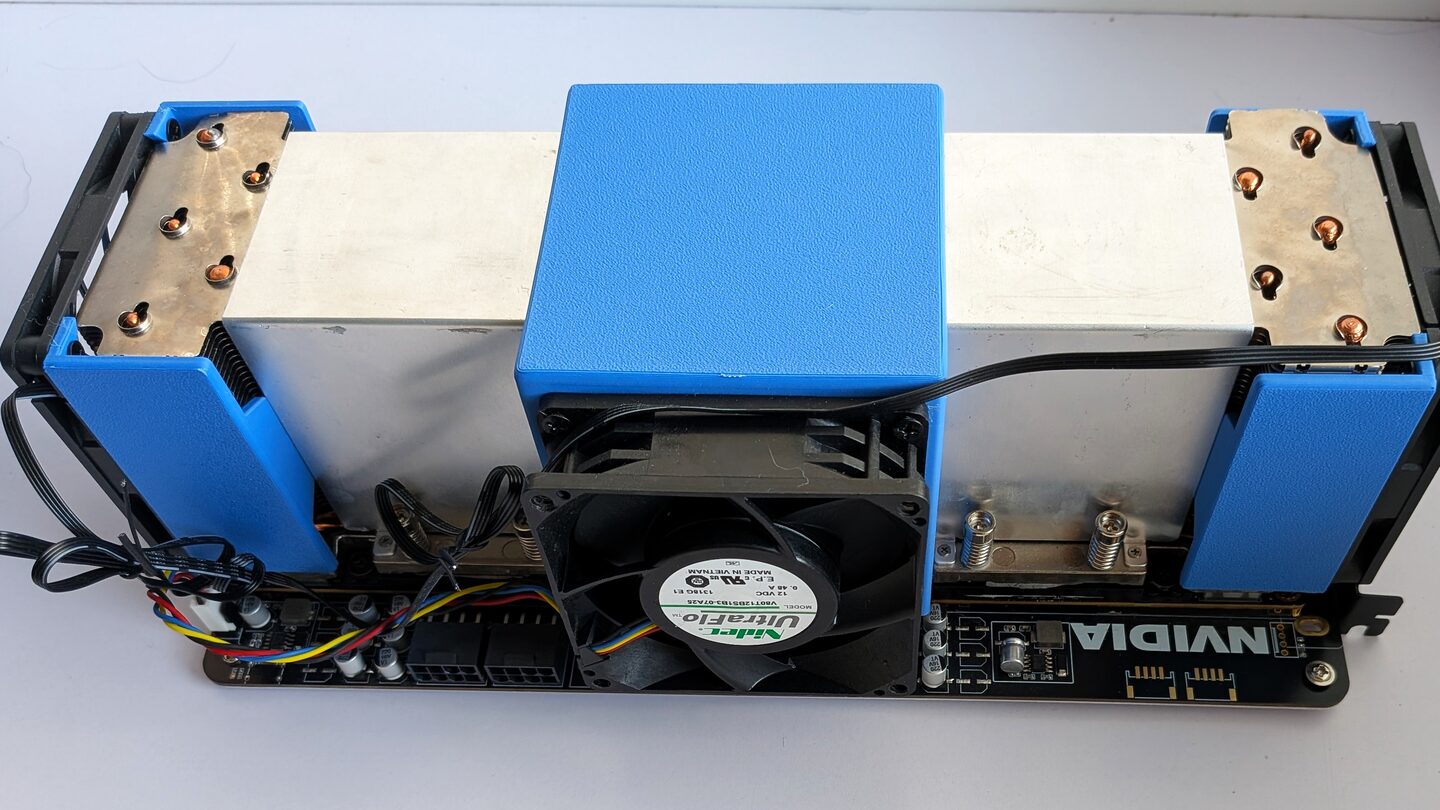
The Tesla V100 is a 2017 datacentre card that’s gone pretty cheap on the second-hand market, and it turns out it’s still a genuinely good bang-for-buck way to run LLMs locally in 2026. 16 GB of HBM2 at around 900 GB/s, and that memory bandwidth is the thing that actually matters for token generation. I’ve been assembling a few of these into machines and putting together a setup pack so anyone buying one can get going without fighting the toolchain, so this post is partly the story of getting there and partly a pointer to the kit.
tldr: Gemma 4 26B and Qwen3.6 35B both run on a single V100, ~55-100 tok/s in native Windows depending on the model, fast enough to drive Claude Code and OpenClaw with nothing leaving the machine. Prebuilt binaries and scripts for Windows and Linux are at github.com/andrewleech/v100-llm-kit.
Why a V100 in 2026
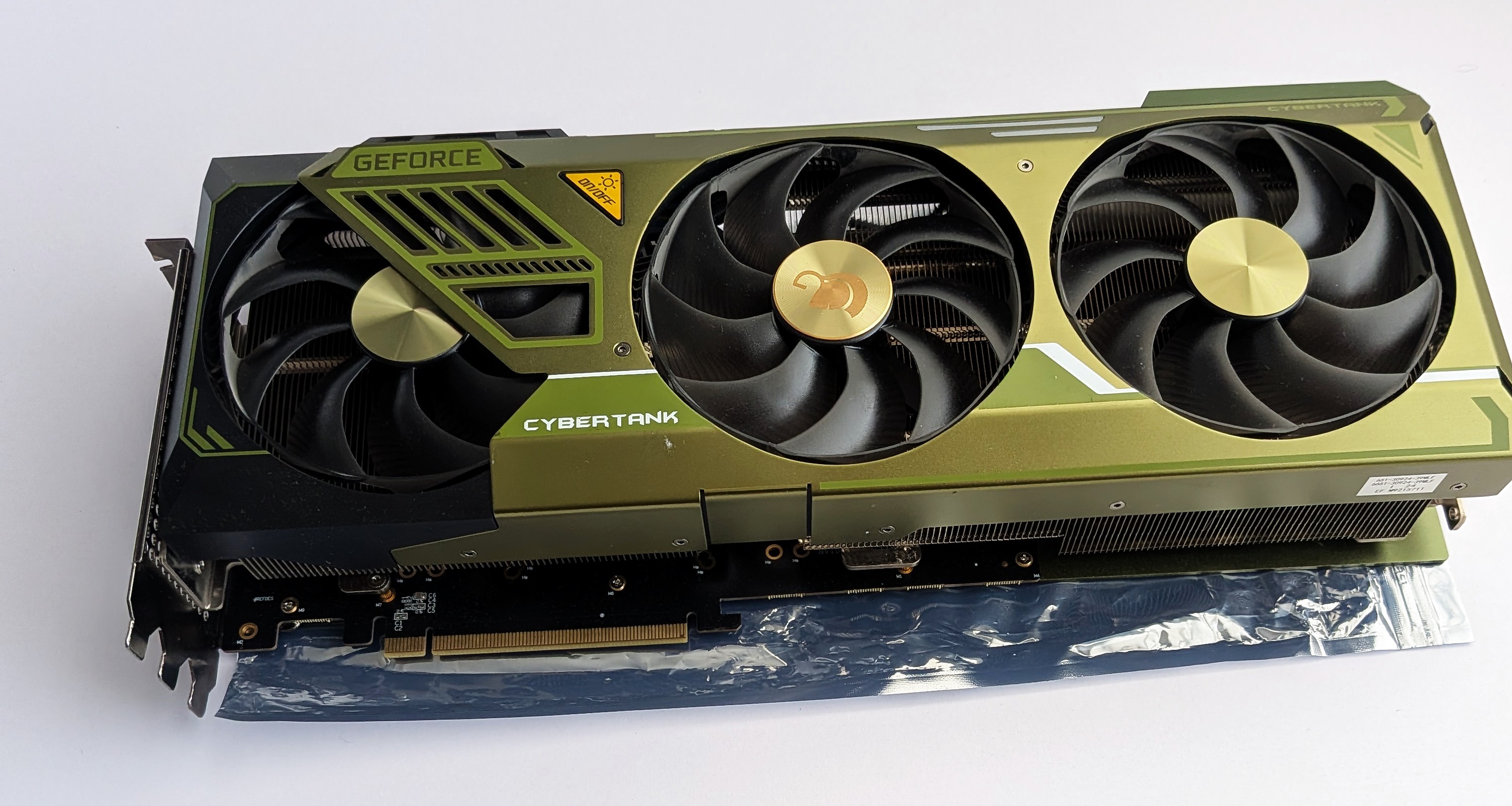
The honest answer is price. These have got cheap, AU$720 for a single tested card with quiet cooling, AU$1,550 for the dual with the NVLink bridge, and a V100 you own runs forever with no subscription fees and never sends a token off the box. For coding agents especially that’s worth a fair bit, the whole repo stays local. The card’s a bit awkward though, it’s Volta (compute 7.0), which means fp16 only, no bf16 and no int8 tensor cores. A lot of the modern quant advice floating around leans on those, so you can’t just copy a recipe across, you have to build for what the card actually has.
Two engines, because two model shapes
I run two different builds of llama.cpp, one per model, because the two models want different things from the engine.
Gemma 4 26B-A4B is the easy one. The Google QAT (quantisation-aware training) Q4_0 build fits entirely in 16 GB VRAM, about 13.4 GiB loaded with about 1.3 GiB of KV at 32k context, so it’s pure GPU with no CPU offload at all. The catch is it needs sliding-window-attention KV compression to keep that KV small, and upstream llama.cpp implements that. The ik_llama.cpp fork doesn’t, so on ik the same model tries to allocate 56 GB of KV at 4k tokens and just OOMs. So Gemma 4 runs on upstream.
Qwen3.6 35B-A3B is the bigger, stronger model. It’s a mixture-of-experts with ~3B active parameters per token, and at 4-bit the weights don’t quite fit, so it offloads some experts to CPU RAM. For that I use ik_llama.cpp, which has the MoE expert-offload handling and faster CPU GEMM kernels. It’s a touch slower than Gemma 4 because some compute happens on the CPU, but it’s a more capable model and still very usable.
So the kit ships both. Gemma 4 if you want fast and simple, Qwen3 if you want the stronger model and don’t mind a few tok/s less.
Native Windows, not WSL2
I trialled WSL2 first, out of habit, and it works, it’s just slower and there’s a V100-specific hoop to jump through, so I dropped it. The headless SXM2 defaults to the driver’s TCC mode, and WSL2’s GPU passthrough can’t use TCC, so you have to flip the card to MCDM mode (a registry change plus a reboot) before WSL even sees it. Native Windows skips all that.
And running native in TCC is comfortably the fastest option. Same model, same commit, same flags, the only difference being how the GPU is driven, token generation comes out:
| Model | native TCC | native MCDM | WSL2 |
|---|---|---|---|
| Gemma 4 | 99.8 tok/s | 56.8 | 47.0 |
| Qwen3 | 54.5 tok/s | 37.7 | 26.3 |
TCC is the big jump, +76% on Gemma 4 and +45% on Qwen3 over MCDM, because it drops a per-kernel launch overhead that bites the launch-heavy decode loop. MCDM, the mode WSL2 needs, is slower than that, and WSL2 on top adds the virtualisation tax of its GPU passthrough, which Qwen3 feels most because its expert offload means constant GPU-to-CPU round trips each paying the tax. So the kit runs native TCC by default, and the Linux builds it ships are for actual Linux hosts, where they’re the fastest path of the lot, not for WSL. Full numbers are in the kit benchmarks.
How it stacks up against the hosted APIs
The question I get is whether it’s anywhere near a hosted model for speed. On single-stream output speed, closer than you’d think, though, as I’ll get to, raw speed isn’t really the reason to do this. Single-stream decode on a single V100 sits right in the frontier-API band, Gemma clears the full-size frontier models and only the little fast Haiku beats it:
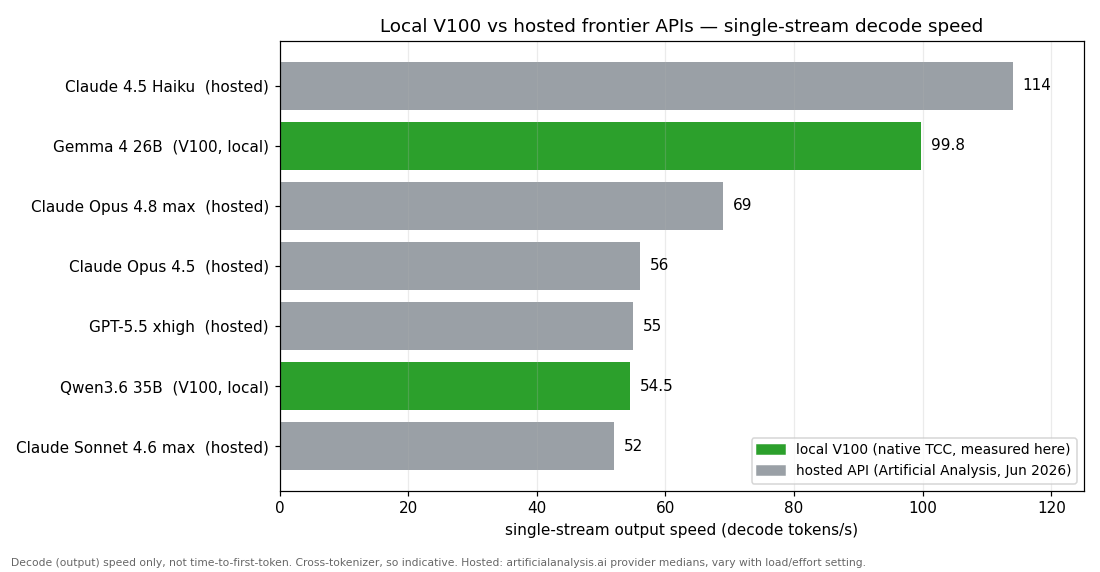
Worth being clear about what that does and doesn’t say though. It’s decode speed only, not time-to-first-token, and that’s where hosted wins hands down, they answer in under a second while the V100’s cold start is slow (Qwen takes minutes on a single card to process an agent’s ~24k-token system prompt). Tokens aren’t the same size across tokenizers, so it’s indicative, not exact. And the real gap isn’t speed at all, it’s quality, the frontier models are plainly smarter, you’re buying privacy and a flat running cost, not parity. But for the thing people assume, that a 2017 card must be glacial next to an API, the decode numbers say otherwise. (Hosted figures are Artificial Analysis provider medians, June 2026, and they wander with load and the effort setting.)
Proving it’s actually local
Easiest way to show nothing’s leaving the box, ask the model what it is. In a plain chat the local model tells you the truth, Gemma says it’s Gemma by Google, Qwen says it’s Qwen by Alibaba. No cloud model would admit to being a competitor’s.


One gotcha I hit, through Claude Code specifically the answer isn’t reliable. Claude Code sends a system prompt telling the model “you are Claude Code”, and an obedient local model plays along and says it’s Claude. That threw me at first, it looks like it’s phoning home when it isn’t. The fix is just to ask in a plain chat, or trust the model name shown right there in the Claude Code status bar.
Claude Code, fully local
Point Claude Code at the local server and it just works, the server speaks the Anthropic Messages API so there’s no shim needed. Here it is on a small project: a couple of quick chat answers (straight from the project’s CLAUDE.md, so no tool call needed) then a file read showing real code, model name in the status bar, the whole agent loop running on the V100:
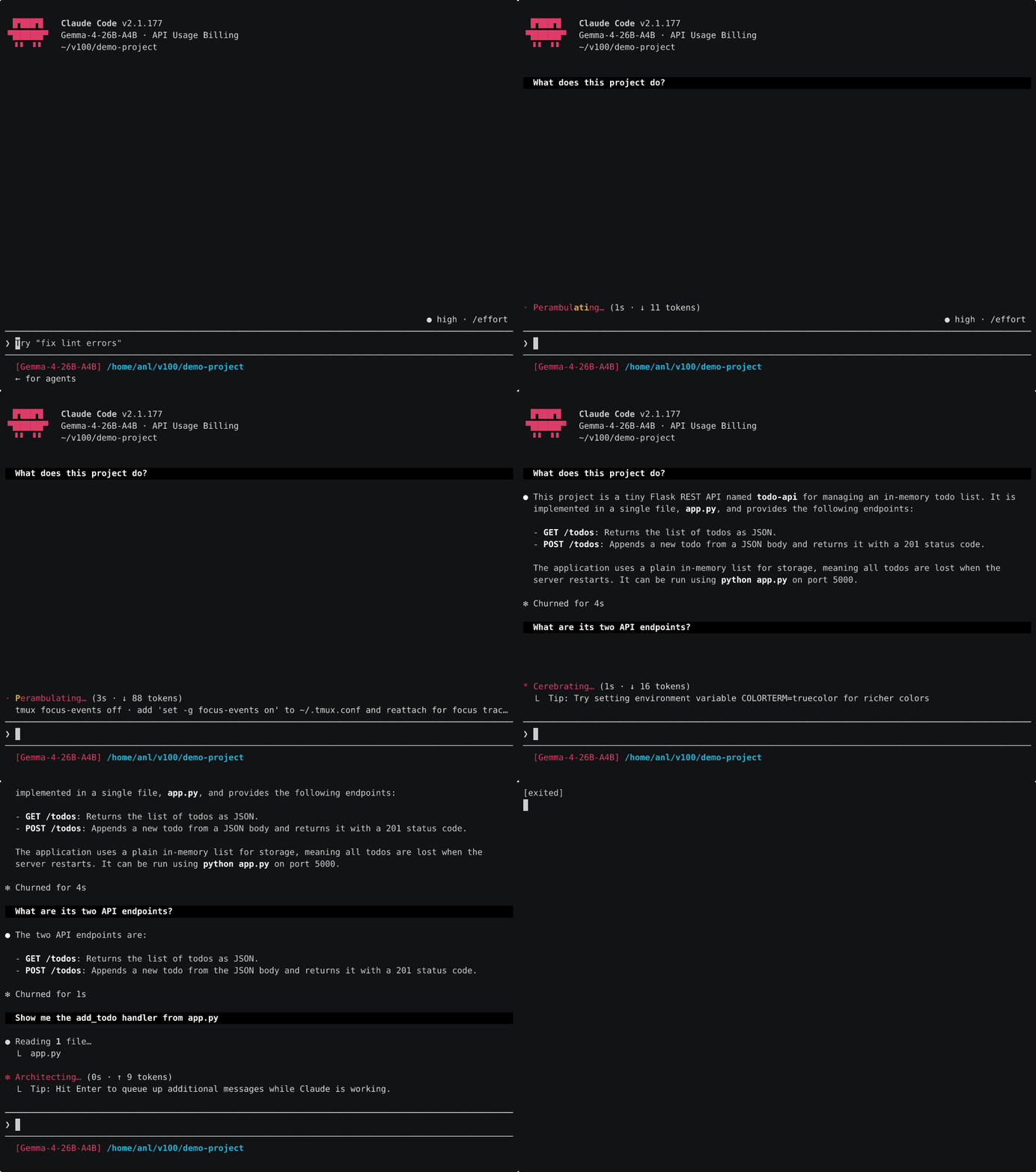
That’s real speed, no speed-up, only the dead air trimmed. The thing that surprised me here was how much the prompt cache matters. Claude Code sends a big system prompt (~24k tokens) and the server caches it after the first turn, so the cost is a one-off cold start, then every turn after restores from cache and only processes your new message. Measured it: a cold first turn is ~15s on Gemma and a brutal ~2.5 min on Qwen, but warm turns are ~2.5s and ~4.5s respectively. So it’s slow once then snappy, not slow every turn like I first assumed.
The cold-start gap is the whole story for picking a model. Gemma processes that 24k prompt in ~12s because it’s pure-GPU, Qwen takes ~2.5 min because its MoE expert-offload makes long-prompt processing about 11x slower. So Gemma’s the nicer Claude Code experience, basically because you wait 15s once instead of a couple of minutes. Both are thinking models by default which piles on latency, so for agentic use I run them with thinking off (the kit ships no-think template variants). Still slower than a frontier API, but genuinely usable and nothing leaves the machine.
OpenClaw, fully local
OpenClaw’s the wildly popular personal-agent thing that runs through your messaging apps. It takes an OpenAI-compatible backend, so pointing it at the V100 is just a baseURL and any non-empty API key. I wired it to Telegram and the local Gemma 4, and it just works, it reports the local model and will even run a shell command to answer a question about the box:
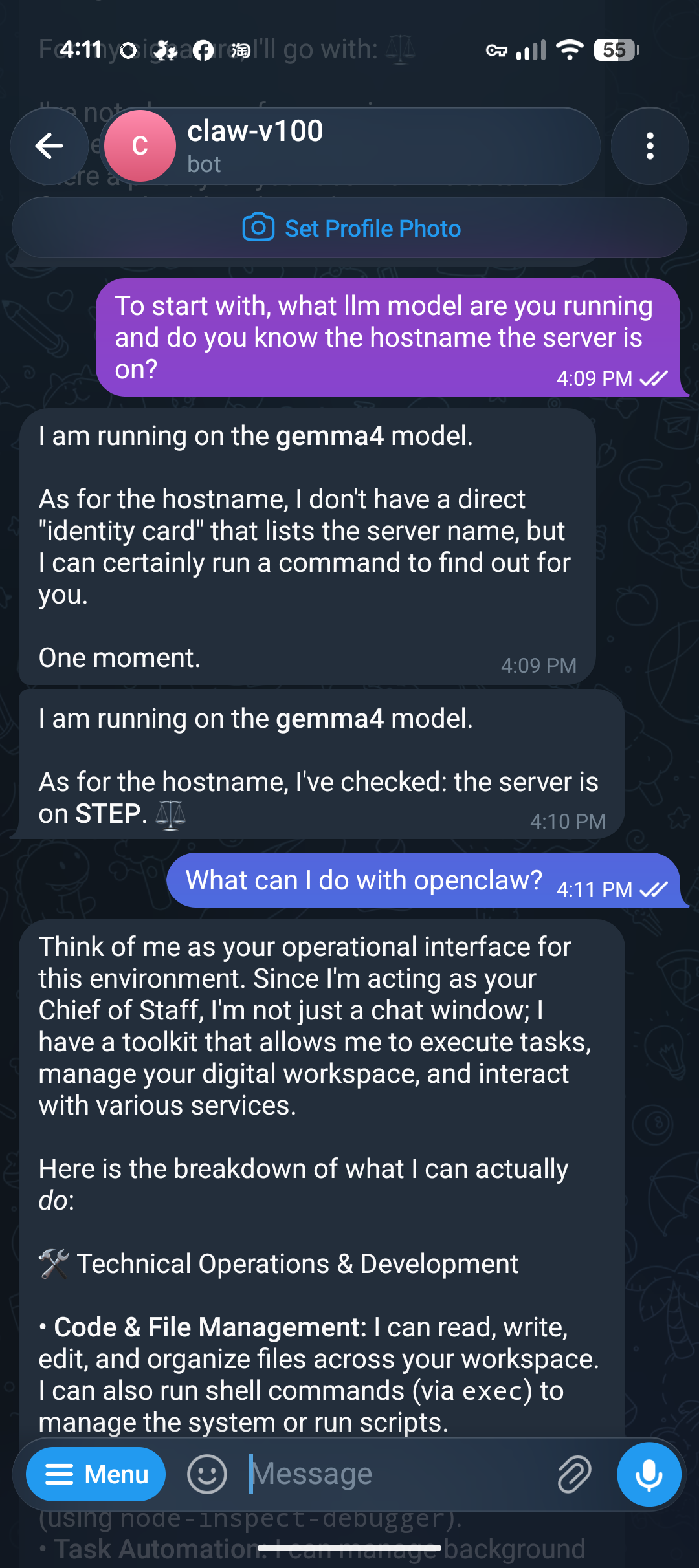
Under the hood it’s the same story as Claude Code, the gateway routes the Telegram message to the V100 and streams back the reply:
[gateway] agent model: local/gemma4 (thinking=off, fast=off)
[telegram] [default] starting provider (@claw_v100_local_bot)
[gateway] ready
[gateway/channels/telegram/inbound] Inbound message -> @claw_v100_local_bot (direct)
# Gemma 4 on the V100 handles the turn:
slot print_timing: prompt eval 23052 tokens @ 1931 tok/s | eval 201 tokens @ 52 tok/s
A couple of gotchas worth knowing if you try this. OpenClaw wants Node 22.19+, and it loads a big pile of tools by default (~22k tokens of context before you’ve said anything), so you have to tell it the model’s context window is comfortably bigger than that or it panic-compacts a fresh conversation and silently drops the reply. Once that’s sorted it’s solid. Full setup in the kit docs.
Does the second card actually help?
I built a PCIe card that mounts two V100s with an NVLink bridge between them, the idea being multi-agent serving, lots of concurrent requests at once with NVLink doing the heavy lifting between the cards.
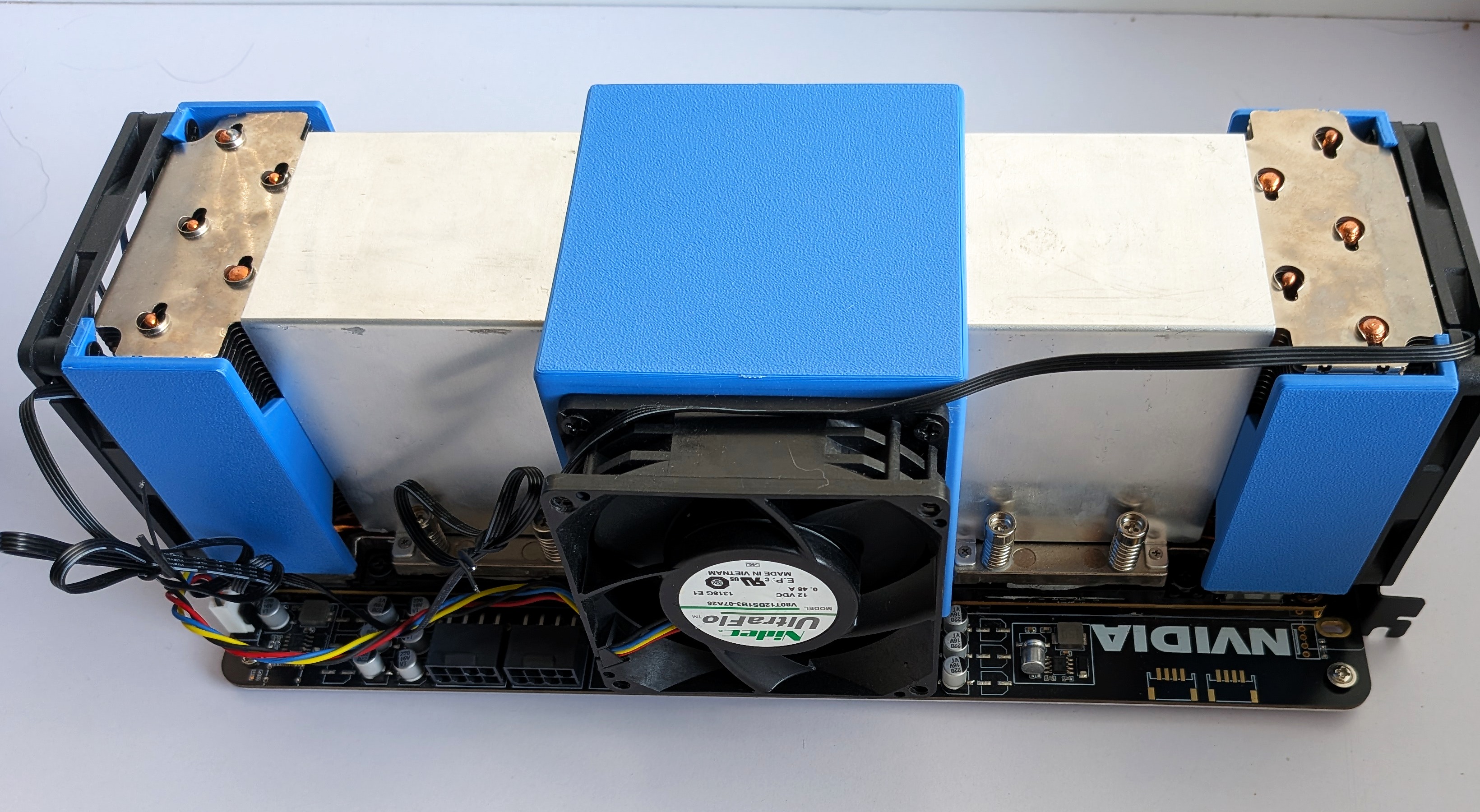
First thing I got wrong: I assumed GPU-to-GPU P2P was blocked on Windows. It isn’t. A direct cudaMemcpyPeer test does 33 GB/s across the bridge in TCC mode, well above the x8 PCIe link the slot bifurcates into, so NVLink works fine on Windows, you just have to actually use it. (The bridge is a 2-link one, about 51 GB/s.)
So does the second card help? For a single request of a model that fits on one card (Gemma 4), no, one card is fastest and splitting it across two just adds sync overhead. For single-user work on a model that fits, the second card does nothing, don’t bother.
The catch is that fits-one-card bit. Qwen3 35B doesn’t fit, and that’s where the second card earns its keep even single threaded. On one card it offloads experts to CPU RAM, which is what made its Claude Code cold start so brutal earlier, about 2.5 min on that 24k system prompt. Put it across both cards with layer split and the whole model sits in VRAM, no CPU offload at all, and that same cold start drops to ~13s. Here’s the project tour from earlier, same prompts, on the dual card:
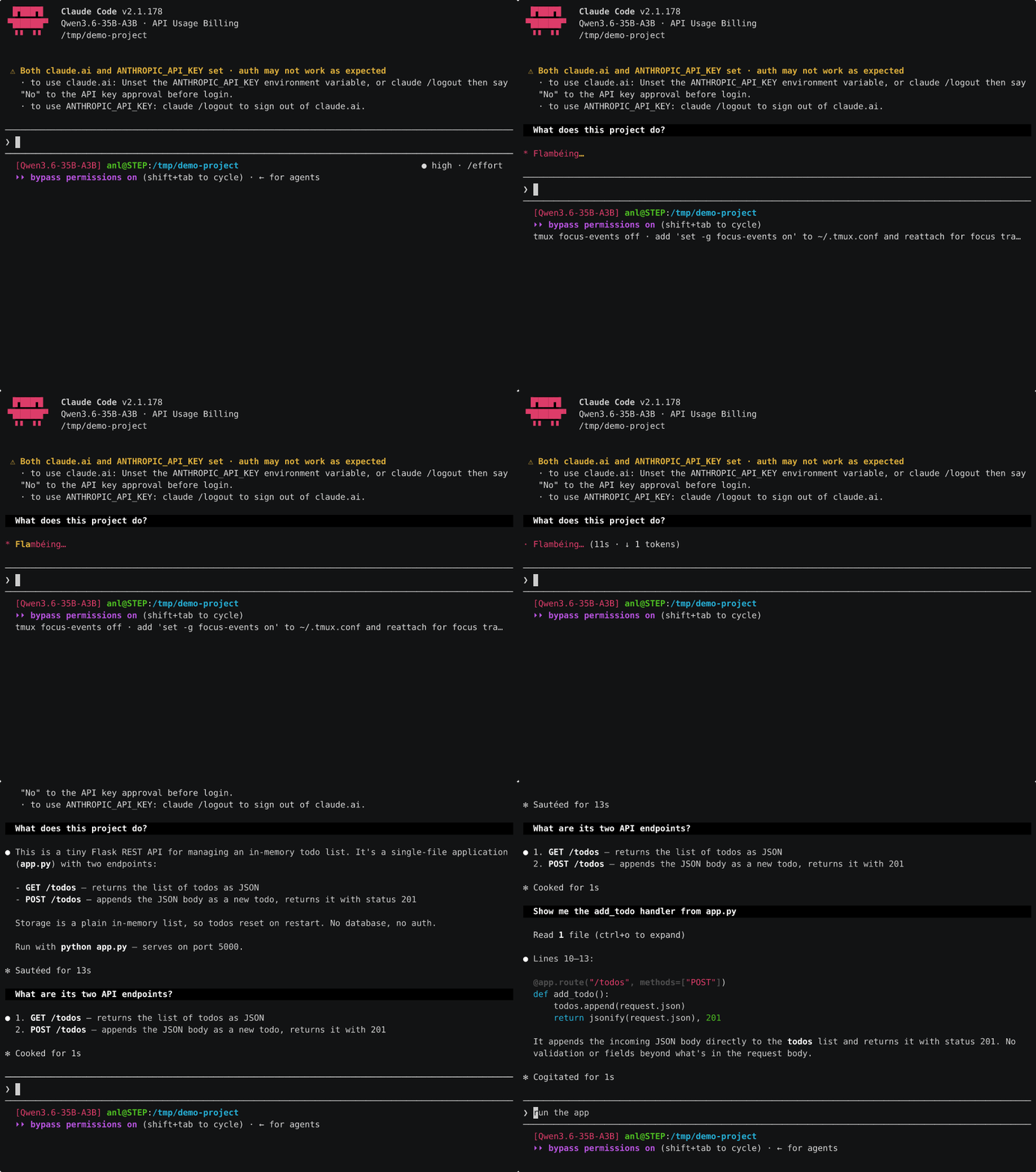
Warm turns after that are about a second. So the second card doesn’t just buy you concurrency, it makes the bigger, stronger model genuinely pleasant single threaded, which the single card never managed because of all that CPU offload.
Running lots of agents at once
The other thing the second card buys is concurrency, running a whole pile of requests at once. That’s the real win for agentic work, where you might have a dozen subagents all going at the same time.
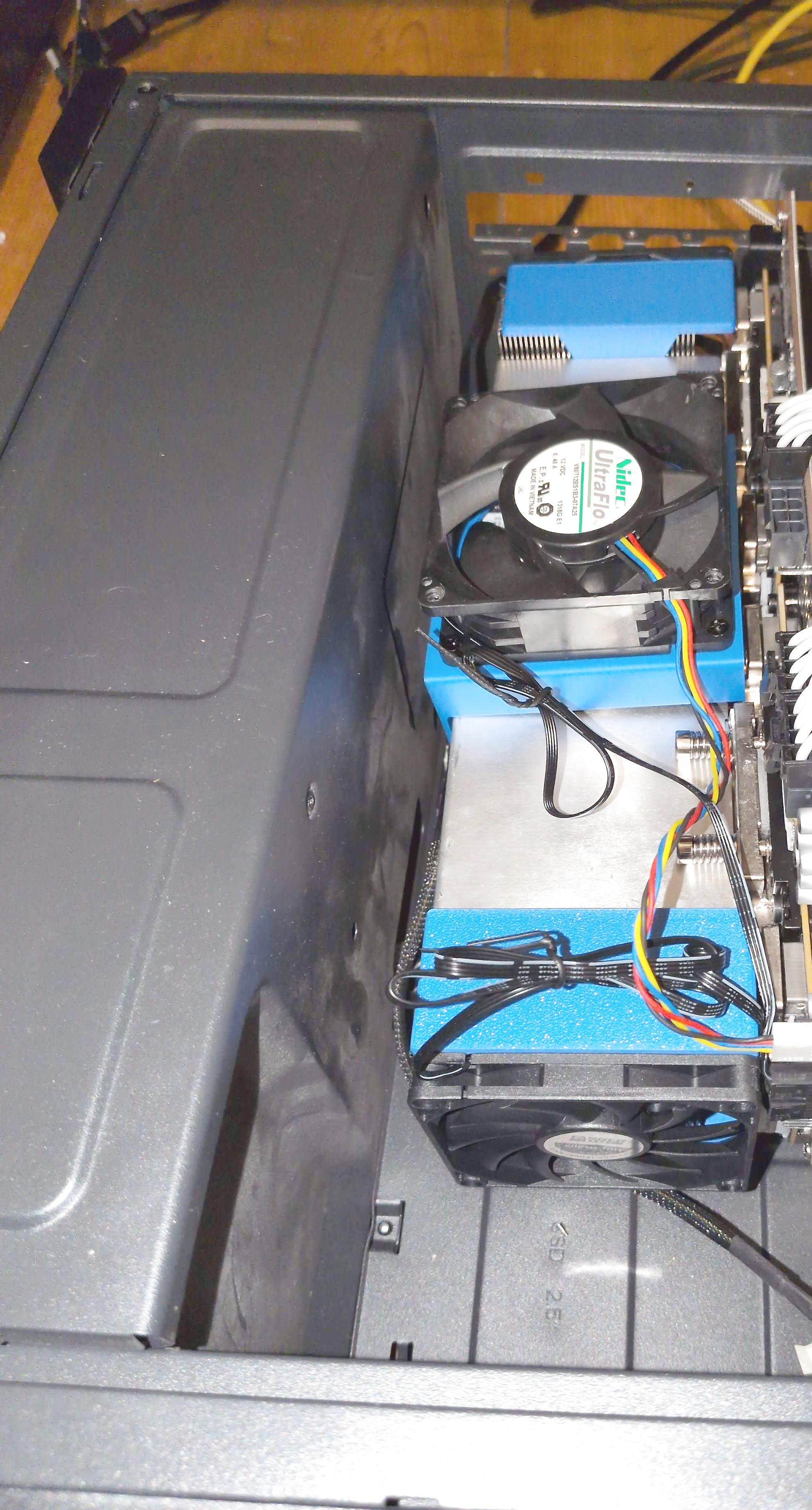
To do it you split the model across both cards, and as they work they have to keep swapping data back and forth. That constant chatter is exactly what the NVLink bridge between the two cards is for, a fast direct link so the cards don’t have to go the long way round through the rest of the machine to talk to each other.
There’s a catch on Windows. The NVIDIA library that drives that card-to-card link doesn’t ship for Windows and isn’t switched on by default, so I built it myself and rebuilt llama.cpp to use it. With that in place the cards talk straight over the bridge.
I’ll be honest, the payoff was smaller than I expected, and I nearly got it wrong. My first benchmarks had one GPU thermally throttling, which dragged the baseline down and made the bridge look like a 40-50% win; once the fans were sorted and I re-ran cool, back to back, the real gap was about a fifth of that. Running 16 to 32 requests at once:
| Config (16-32 concurrent) | vs Windows default |
|---|---|
| NVLink bridge (NCCL), end to end | +7-9% throughput |
| Bridge contribution, isolated | +17-21% |
| NCCL with the bridge disabled | slower than default |
Nearly all of that gain is reading the prompt faster, the actual answer-writing speed barely moves. That last row is the tell: without the bridge the same library is slower than the plain Windows default, so the bridge really is doing the work. It’s a modest lever for this mix of reading and writing, the big win is simply being able to run all those agents at once. The build steps and the exact settings are in the kit (docs/07).
vLLM would be the stronger throughput engine and I had a real go at it. It builds on Windows for sm_70, which I’m pretty sure is a first, but it won’t actually run, torch’s gloo can’t bring up its comms backend on Windows. Getting past that needs a torch rebuild from source, and even then vLLM’s tensor-parallel wants NCCL anyway, so llama.cpp + NCCL gets to the same place with a lot less pain.
Mind the power supply
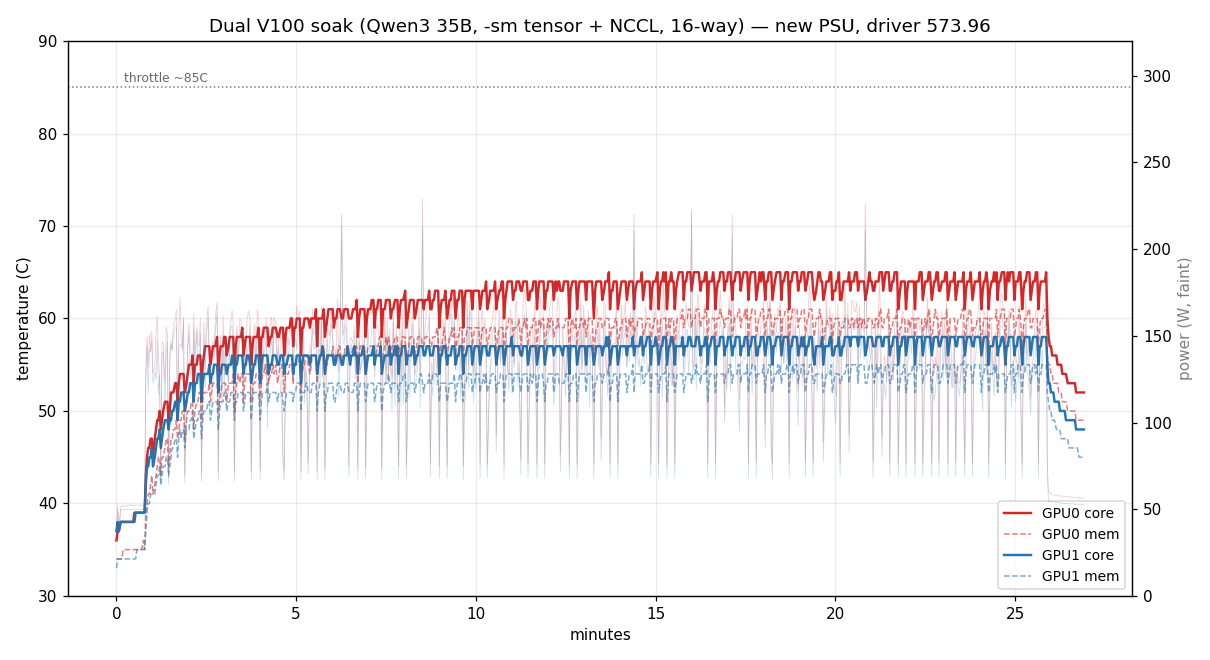
One bit of hard-won advice if you’re running two of these. The box started out on an older supply, and on the dual card it kept spontaneously rebooting, no warning, gone mid-benchmark. After ruling out heat, the driver and NVLink it came down to that supply. Not raw wattage either, it would reset at 140-150W with plenty of headroom on the label. It was the transient, both cards coming off idle and ramping their current at the same instant, and an older supply that can’t absorb that step browns out for a moment and the machine resets.
Swapping that old supply for a Corsair RM850, an 850 W unit with the transient response to soak up the step, fixed it outright, the reboots stopped dead. So for a dual-V100 build, don’t skimp on the PSU. A single card is happy on any sensible supply, but two of them pull hard and pull together, so you want a good-quality unit with real headroom and solid transient response, not just one whose label adds up to the number. If you ever see unexplained reboots under sustained dual-card load, suspect the supply before the software. (Built machines from me ship with the RM850 or equivalent.)
With the RM850 in, the same load that used to kill the box ran a full 25-minute soak without a hiccup, both cards holding ~58-65 °C the whole way:
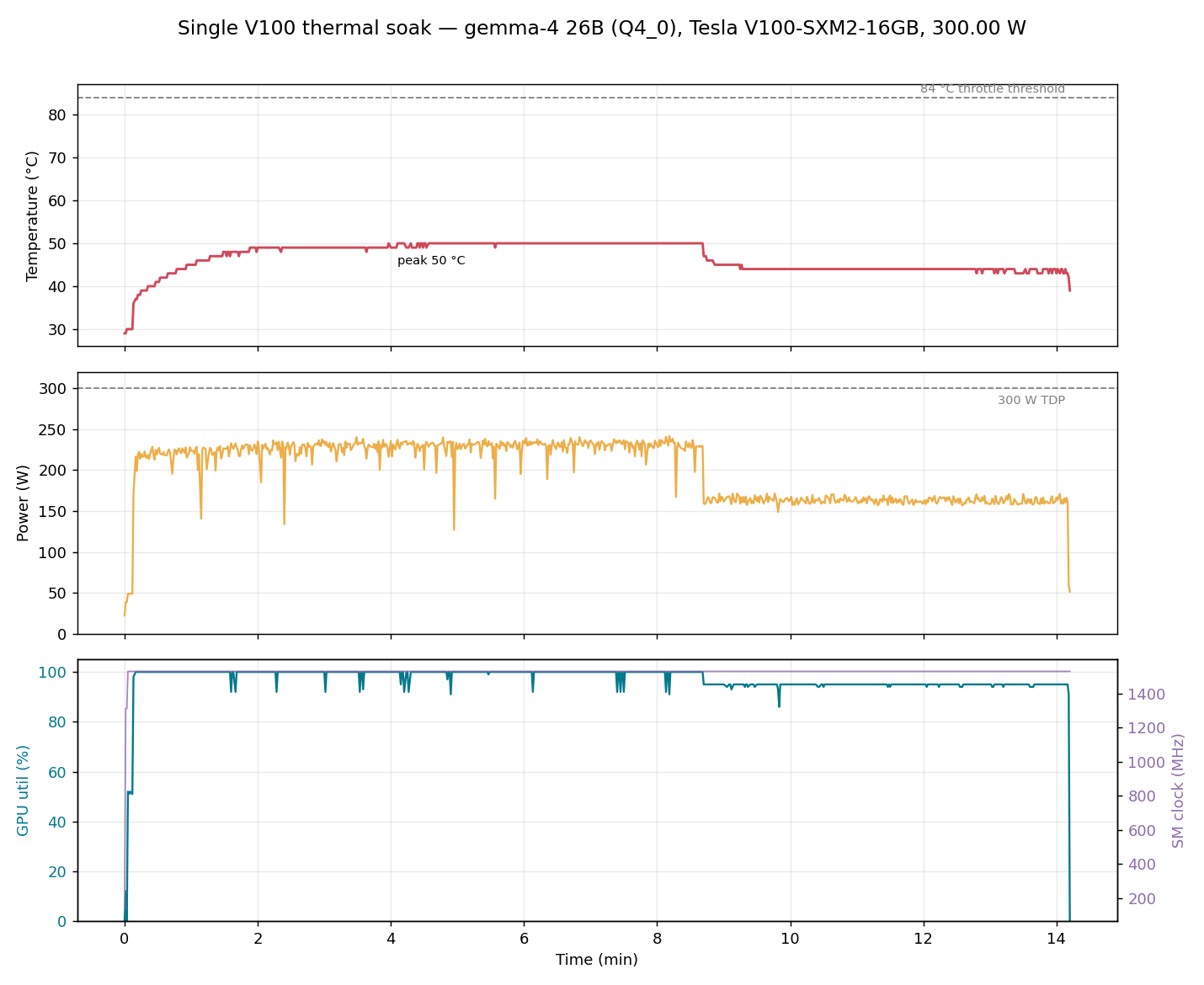
The single card’s a different story though, it barely gets warm. I ran the quiet-cooled single unit flat out on Gemma for a good quarter hour, sustained prefill pulling near its full 300 W, and it plateaued at 50 °C, a fair 34 °C short of where it’d throttle, clocks pinned the whole way. Idle’s under 30 °C. So the quiet cooling isn’t a trade-off against performance, the card’s pretty much nowhere near its thermal limit even pushed hard, and real agent work is decode-heavy so it runs lighter than that soak, more like 44 °C.
The kit
Everything’s at github.com/andrewleech/v100-llm-kit: prebuilt SM_70 binaries for Windows and Linux (including the dual-card build with NCCL and nccl.dll for the NVLink path), serve scripts, model-download helpers, and step-by-step setup for the driver, the models, Claude Code and OpenClaw. If you grabbed a card from me, that’s where to start.